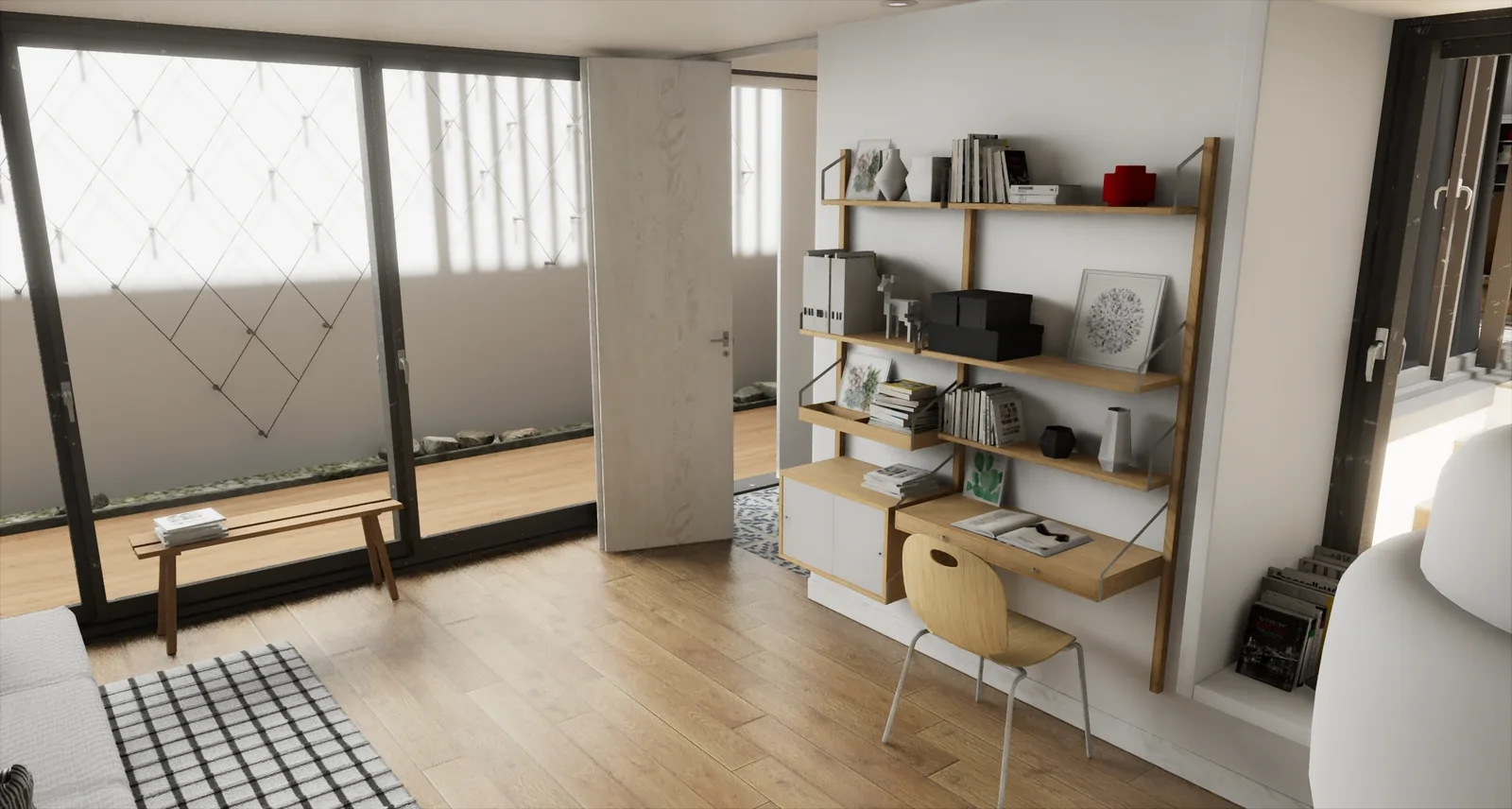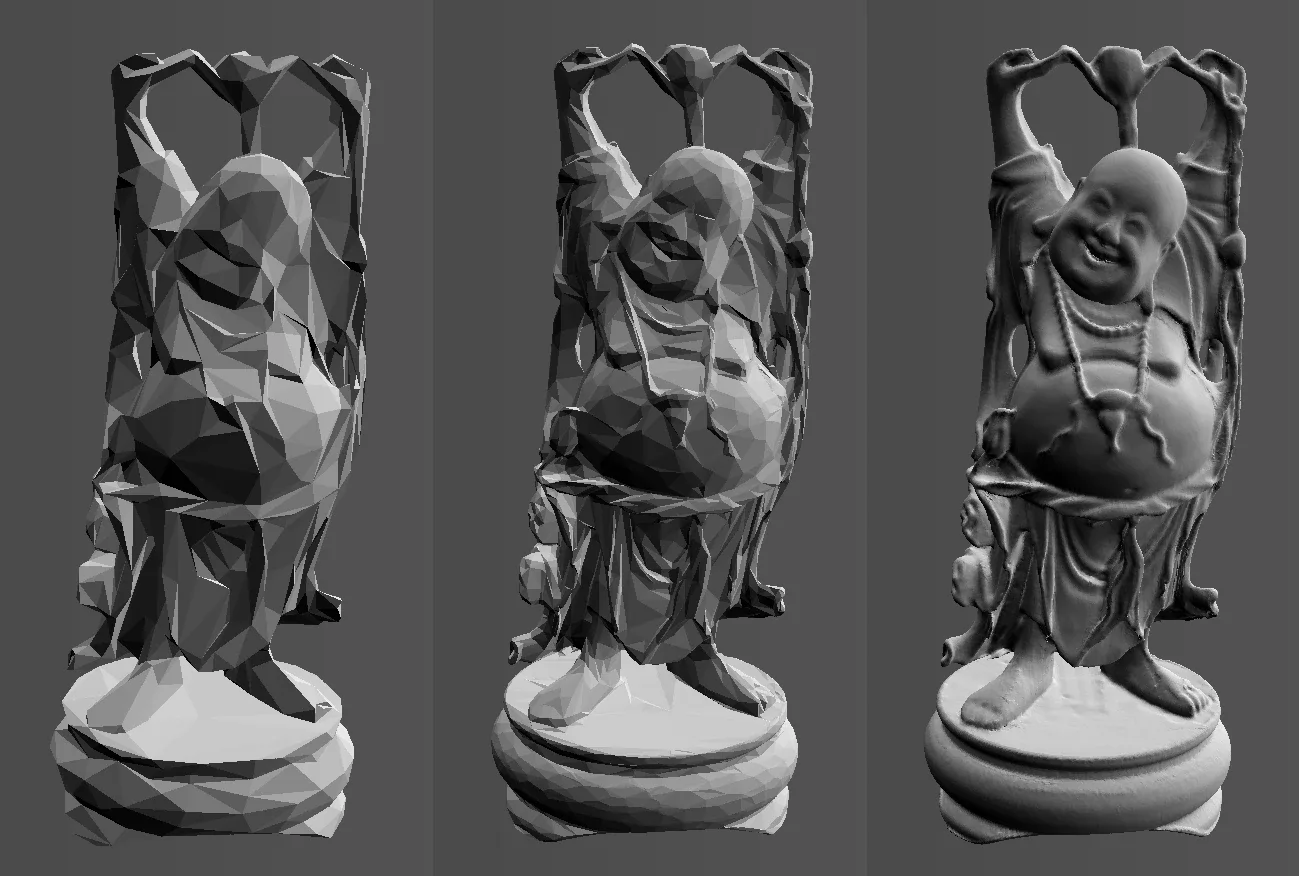
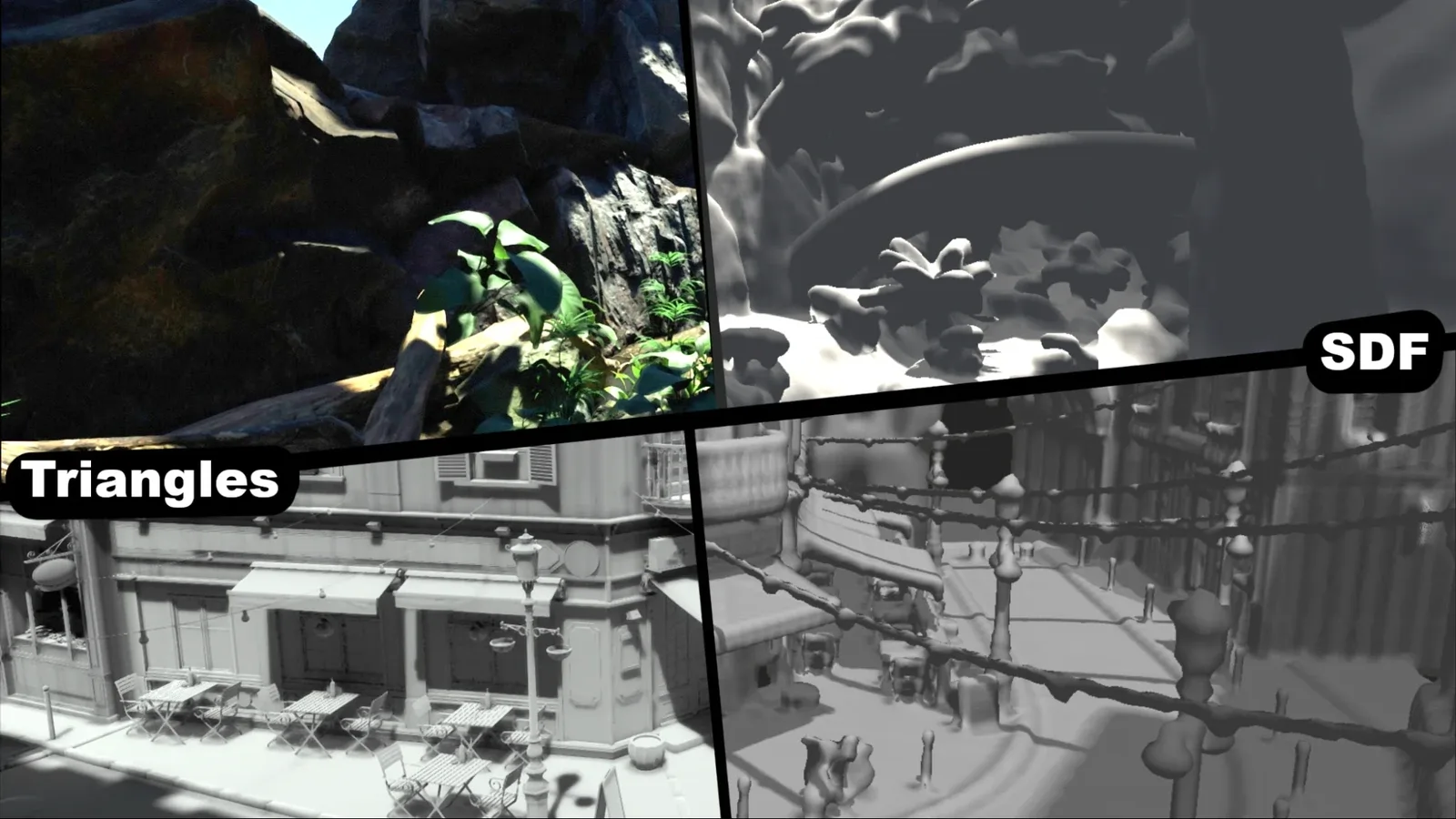
This blog post will cover how we set up our distance field representation of the world for software raytracing, how our system works and some of the benefits and drawbacks of different techniques commonly used.
About me
Hi. I am Jack, a second year games programming student at Breda University of Applied sciences specializing in graphics programming. I was offered an internship here at Traverse and tasked with making a system to generate this SDF representation in the Breda renderer for use on weaker hardware like phones.
SDF Representation
What kind of representation? And why is this needed?
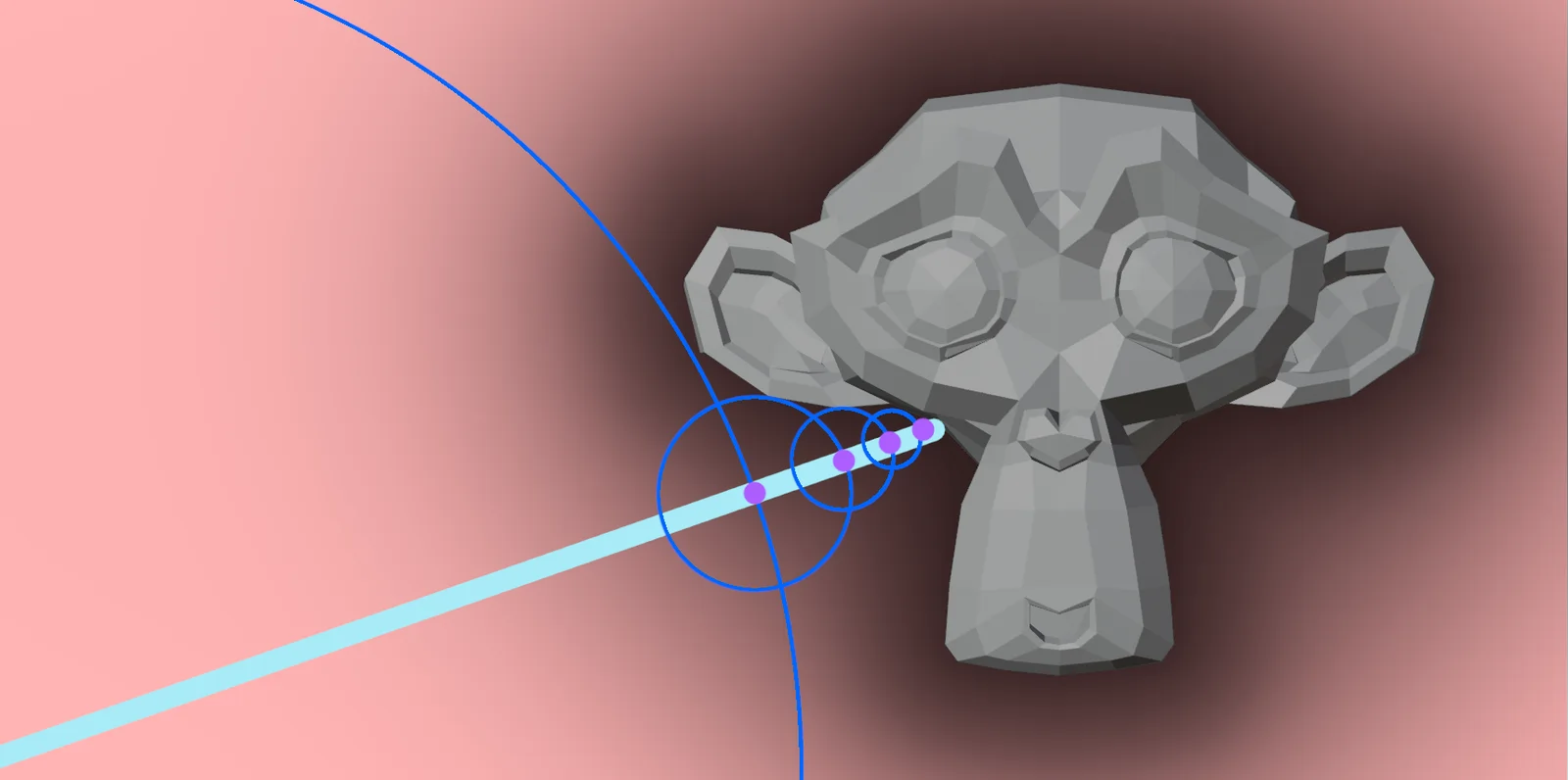
We’re making a simpler representation of an existing triangle game scene in real time. We want to use this representation because modern renderers like Breda rely on (hardware) raytracing for a lot of graphics effects like global illumination and reflections. But that can be very expensive on weaker devices that do not support it. With an SDF representation, sphere tracing can be used instead which is significantly faster on these weak devices.
Choosing a technique
There are a lot of different techniques for creating this SDF representation. Storing a giant SDF texture for the whole world would use significantly too much memory so all of these rely on creating an SDF just in an area around the camera in real time.
I will first go over most of the common techniques briefly.
Triangles to voxels
Some of these translate the scene’s triangles directly to voxels in the sdf grid, these are mostly unsigned distance fields since those are significantly faster to generate but require a thickness threshold to sample since they have no real inside flag, like a signed field.
They commonly also use the lowest LOD since they scale with triangle counts.
Rasterization (used by Godot) [1]
By rendering the scene to a counting stencil from 3 angles you can find out which voxels in your grid contain front vs back facing triangles, similarly to a puzzle like this.

From that you can flood fill the distance to the rest of the texture, adding a set distance every step. This can be quite fast although the flood fill is expensive, but is limited by resolution since it suffers a lot from aliasing since the seed voxels do not contain an actual distance.
Binning (similar to Brixelizer [2])
Another technique relies heavily on compute shaders, writing accurate unsigned distances into a sparse structure. This technique is very fast and gets good unsigned results, the drawback for sampling being that the data is sparse and thus needs some more traversal, we will go deeper into this technique further in this blog.
Compositing
Another big technique is precalculating the SDFs per mesh [3]. Instead of creating a global SDF from the scene’s triangles directly, it first precalculates an SDF per mesh and then composites those meshes into the scene’s field. Doing this is quite a bit faster since it grows with instance count instead of triangles and most game scenes instance the same meshes multiple times.
Although this technique can not deal with vertex animated geometry as well as directly going from triangles. Since it can not do this without regenerating the baked mesh SDF in addition to recompositing that mesh.
Since this allows for precalculating the main distance fields, it’s possible to use slower more accurate techniques to generate the sign, I will list them here very briefly
-
Angle weighted pseudonormals [4]
By precalculating connecting normals, these can be tested to get an accurate sign even at sharp edges. This gets accurate signs but breaks heavily on any visible backfaces like non enclosed meshes or ones with intersecting geometry or holes.
-
Generalized winding numbers [5]
By counting general winding orders in a hierarchical structure and the actual triangles close to the voxel. You can efficiently count effectively every triangle side without actually going over all of them. You first count the sign in regions in your hierarchy, then when generating you only count triangle signs for ones close and use the hierarchy’s sign for further distances.
This is a very accurate sign and deals significantly better with holes and bad geometry, but it can still break at edges of non enclosed geometry.
-
Random rays
By shooting a bunch of “random” rays, hit signs can be counted and used for the sign with some bias, while this can be quite more expensive. It deals the best with bad geometry by tweaking the bias and ray counts for accuracy vs error proneness. For the distance the BVH can be traversed at the voxel center.
Our system
For Breda, we chose to composite precalculated mesh SDFs together since it’s the most performant and allows higher quality. To generate these mesh SDFs, we chose the binning technique similar to Brixelizer. Since this technique is fast enough to bake it during asset streaming and thus does not need a long bake during importing. I will first go over this technique for generating the per mesh SDFs.
Binning technique
We want to write the closest distance to a triangle to all voxels that at least contain one.
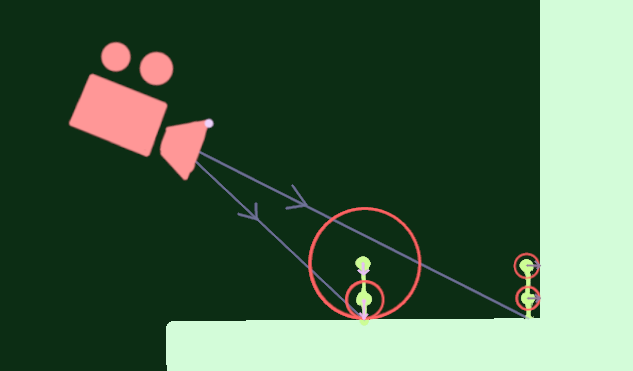
Going over all triangles per voxel is way too expensive, instead we try to go over each triangle and write them to their overlapping voxel(s). Doing this naively in a compute shader would not work since a bunch of triangles would try to write to the same voxels and big triangles would have to wait for this significantly, causing a very unbalanced workload that would be very slow.
Gather
Instead we try to compact our list so we can do this more efficiently.
First we go over each triangle and write their overlapping voxels to a big append buffer of all triangle -> voxel references.
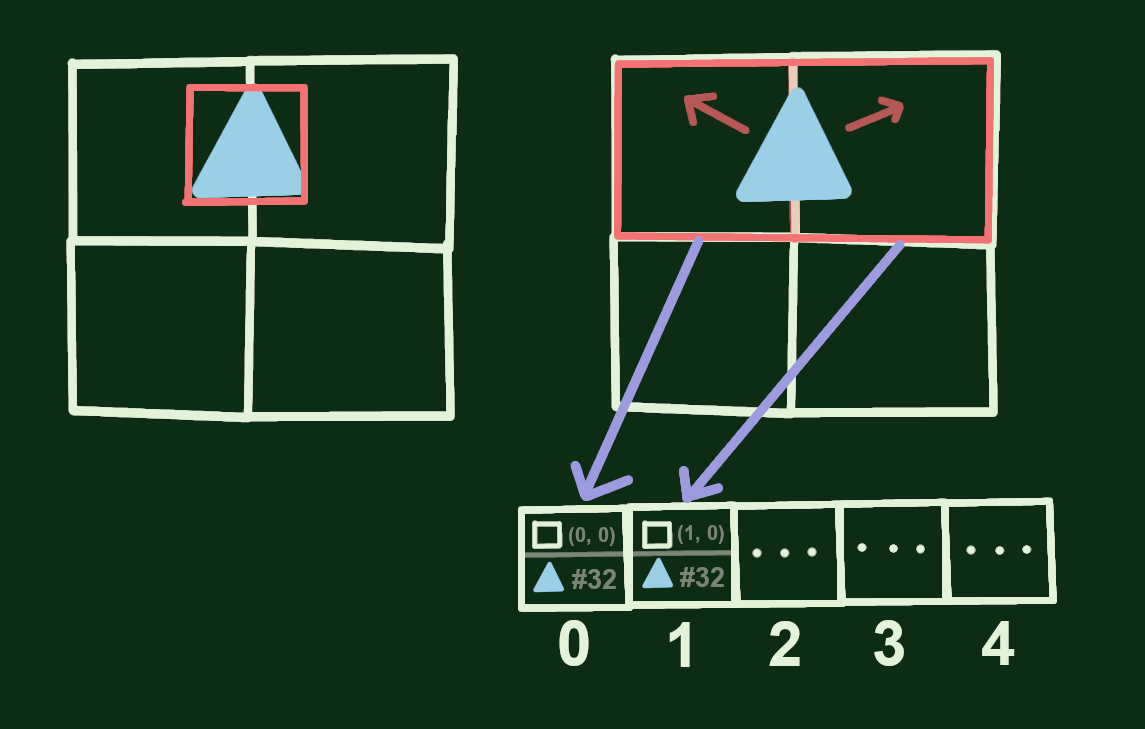
We first expand the triangle’s AABB to the voxels to know what voxels contain it. We then also check a more accurate plane overlap against those voxels, this avoids large diagonal triangles referencing too many voxels.
We also store a counter per voxel how many triangles it contains, which will be used to compact the buffer.
// pseudocode
void
Compacting/scanning
We now have a giant unordered list of references.
To be able to process these nicely we want to compact this to a dense buffer of: active voxel -> triangle references. To get this buffer we need to know which voxel points to where in the buffer. For this we do a prefix sum, for each voxel we count up the total number of triangles that were in the previous voxels which are used as offsets in a new buffer.
To do this efficiently we go over the list of voxel -> reference counts from the first pass in groups,
For each group we scan the counts in group memory, and find the offset for each thread in the group relative to the group. We also store the total offset of the whole group.
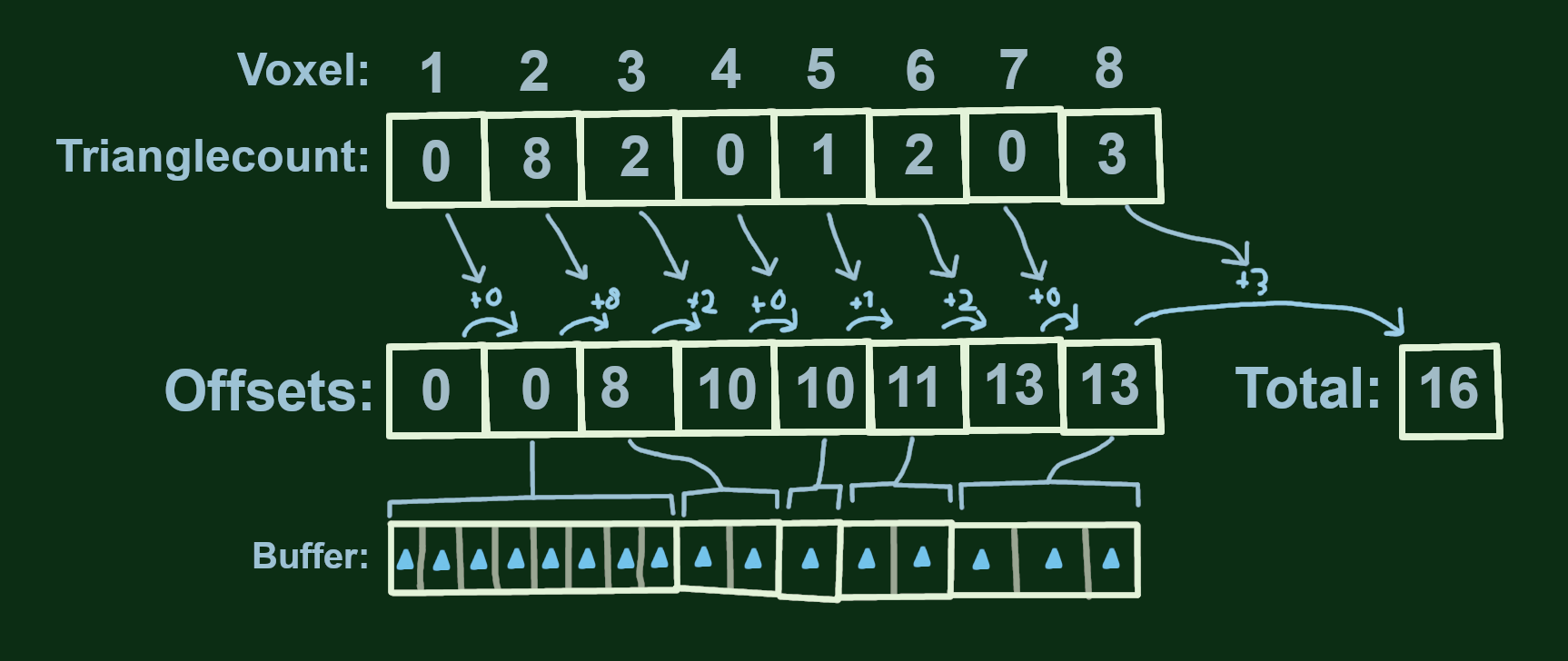
Each voxel sums the triangle counts of the ones before, getting an offset into the buffer.
We then have local offsets into the buffer per group and a total offset of that group.
Either using a second pass or as the final finished group, we do the same thing using the totals of the groups as the count, this results in 2 buffers: local offset and group offsets.
By adding those together you know what position in the buffer your voxel’s references are.
uint voxelIndex = threadId;
uint voxelOffset = localOffsets + groupOffsets;
We also write each voxel that actually has a triangle so we can skip empty ones in the next pass.
// Blelloch algo: stores offsets for each thread from counts, returns final offset for the group
uint
void
Then we just have a simple pass that goes over the unsorted reference buffer and uses the offsets to fill the compact buffer.
uint
void
Generating
Now we have a compact buffer of each triangle per voxel. With this we can go over the list of active voxels and loop over the now nicely culled list of their triangles and store the distance to the closest triangle.
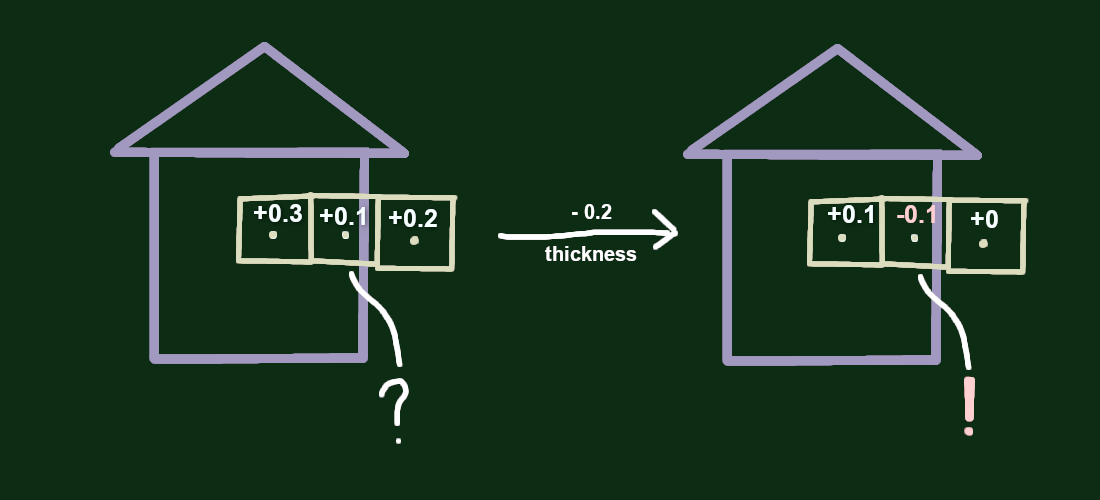
This distance is unsigned meaning there is no way to check if you went into geometry, but we can subtract a set thickness value from the sdf to approximate an inside sign. This means that distances close to geometry will count as inside.
uint ;
void
This gives us a texture that has distances to triangles in each voxel that contains one, with the rest of the texture still empty. To spread this distance around the whole texture a jump flood algorithm can be used, but we’ll use something different.
At this point you should have a somewhat fast dense distance field generated.
Sparse Bricks
However, a lot of space in meshes their bounding box is empty, and our unsorted reference buffer explodes in size with higher resolutions or triangle counts.
The solution is storing the data in bricks. Instead of storing each voxel in a texture, we store bricks of voxels, and only store bricks we found had triangles close.
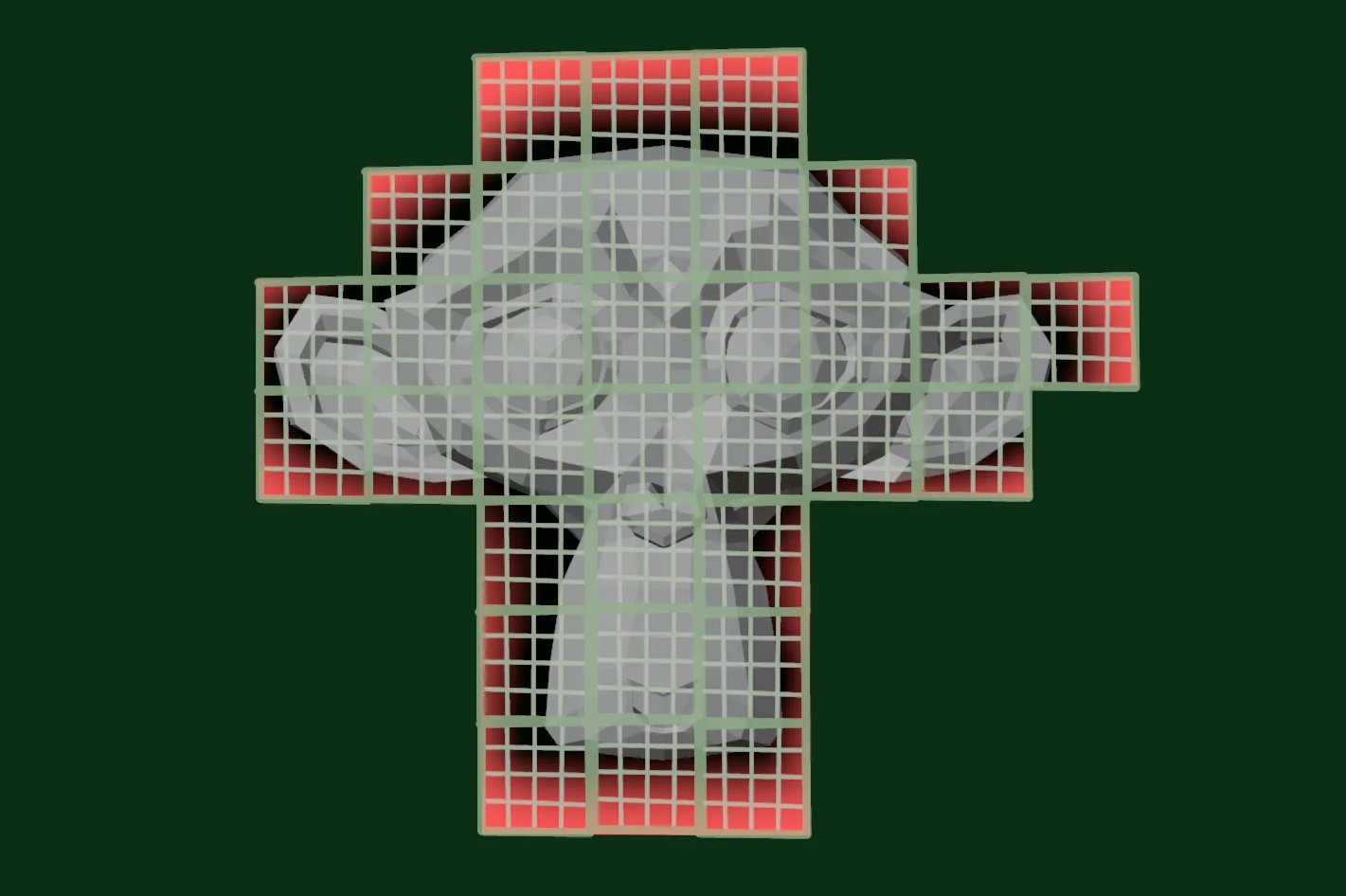
Using bricks
The code is pretty modifiable to run over bricks instead of voxels.
Although keep in mind, bricks should encode a region, keeping one voxel of padding. This makes sure they interpolate smoothly across each other when sampling.
In our gather we store all the references to bricks instead of voxels, this makes that pass faster and the scratch output significantly smaller.
The scan/compact pass then just goes over that list of brick -> triangle references instead.
For the final generation, it changes into running a thread group per brick, meaning each thread still calculates a voxel.
void Atlas
Since the output is now sparse we can store it more compactly. For this we use 2 global atlases for every sdf. One of which contains the actual bricks’ data and the other is an indirection texture which points to where in the atlas a part’s brick is, if any.
Emptiness
This sparseness means there are areas that have no set distance, when sampling this directly a hierarchical structure could be used to skip these, but since we use it for compositing that would give little benefit. Instead we keep in mind a maximum distance the sdf encodes which is the extent of a brick, this distance is then used when sampling outside an allocated brick, this also means that we do not need to flood fill like mentioned earlier.
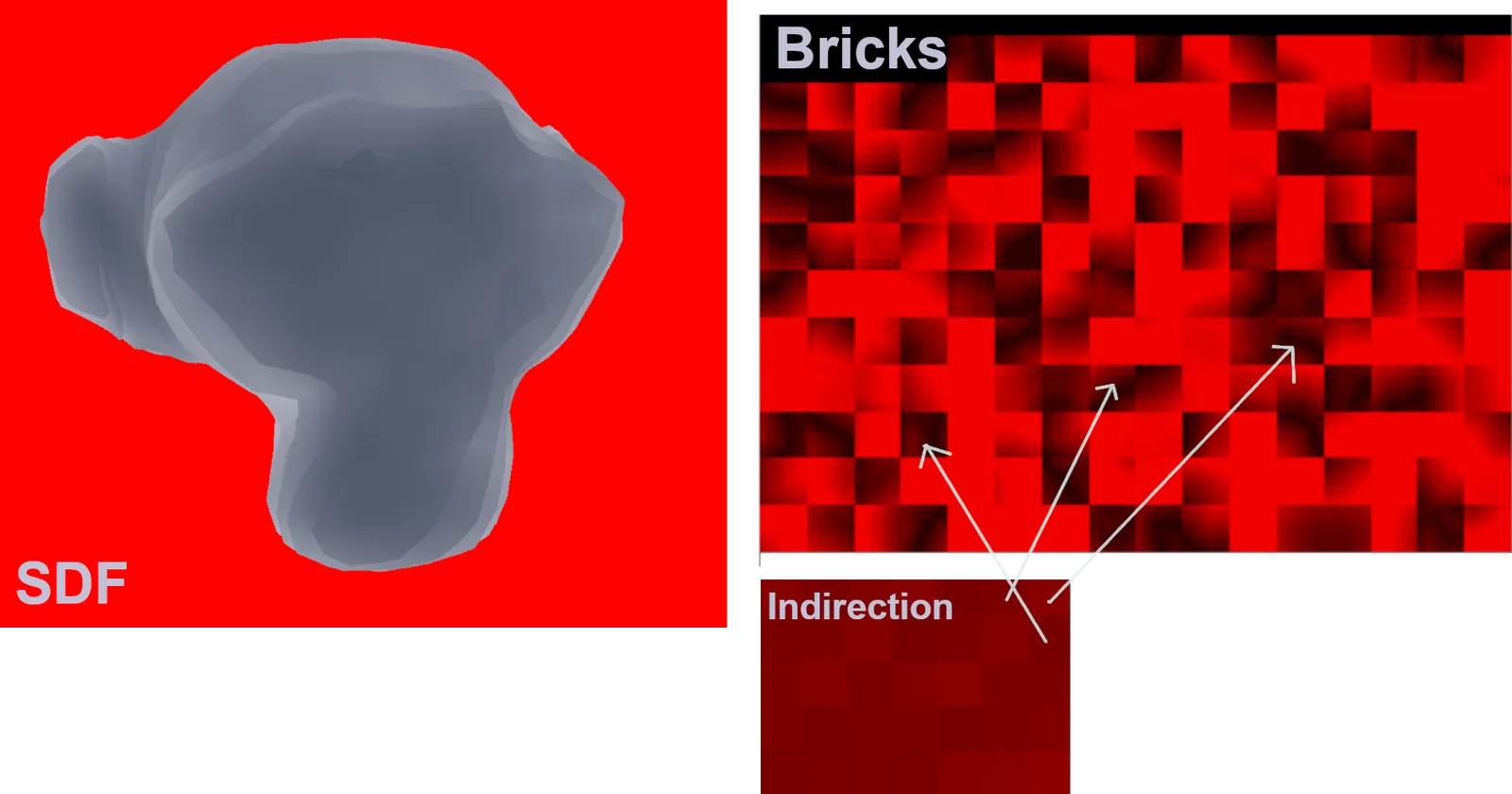
We also use this maximum distance to encode the distance values in an 8-bit unorm format normalizing this distance with the maximum. This saves a lot of memory and bandwidth during sampling.
Compositing
Now that we have generated per mesh SDFs we want to efficiently combine instances of them to a global SDF that we can sample without much indirection.
Cull
Sampling every instance in every voxel in our grid is not doable so we first cull instances down as much as possible.
To do this we first do a broad cull and go over every instance in the scene and determine if they are in the field at all.
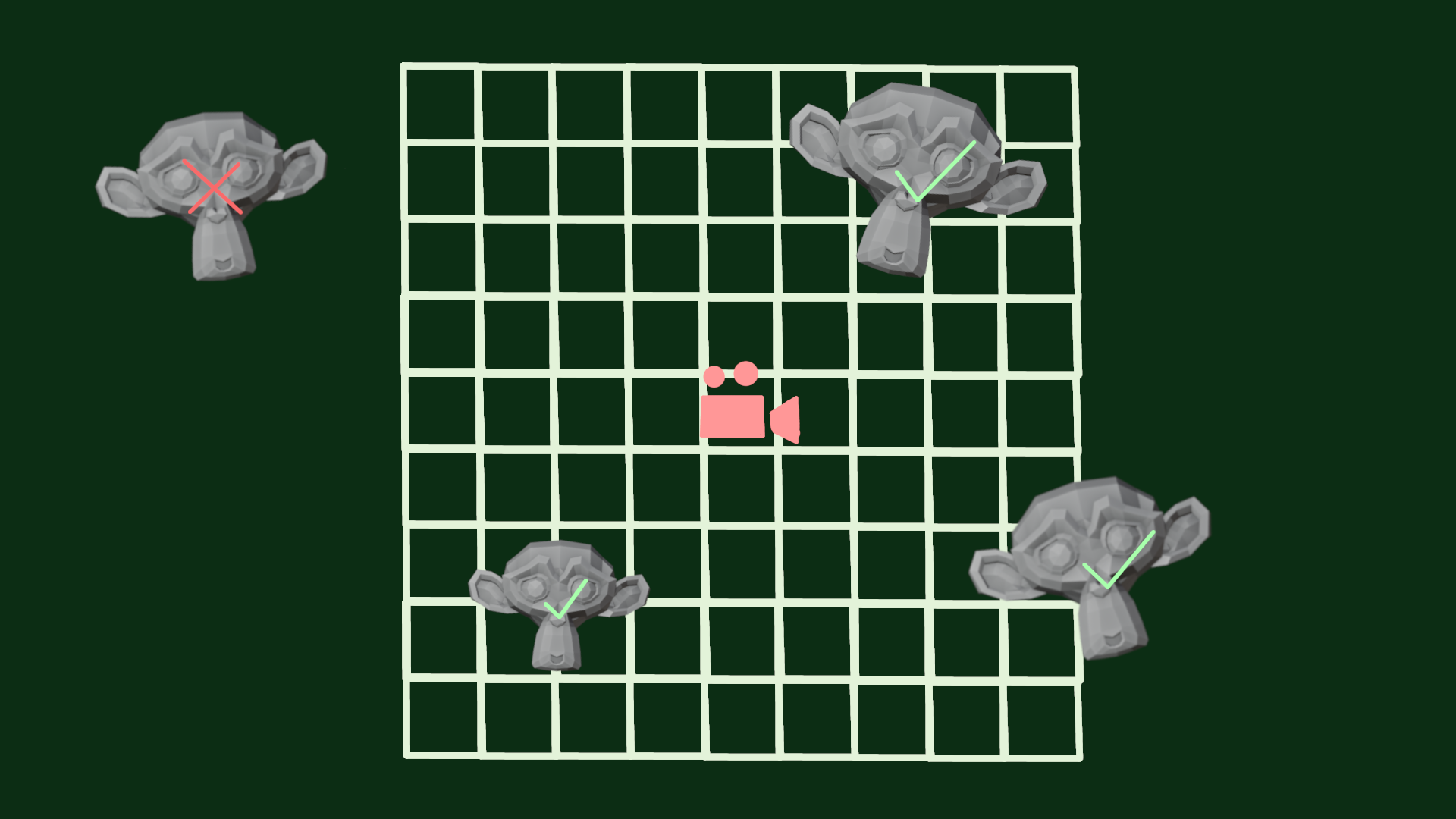
Regions
We then cull this down even more to regions, a region being voxels of the global field, creating a buffer of region -> culled instances. Since instance counts per region are generally not that high we can use a constant max region instance count to index into this buffer.
We pad the cull by an extra region, otherwise we could near miss instances which would require a more expensive jump flood to fill.
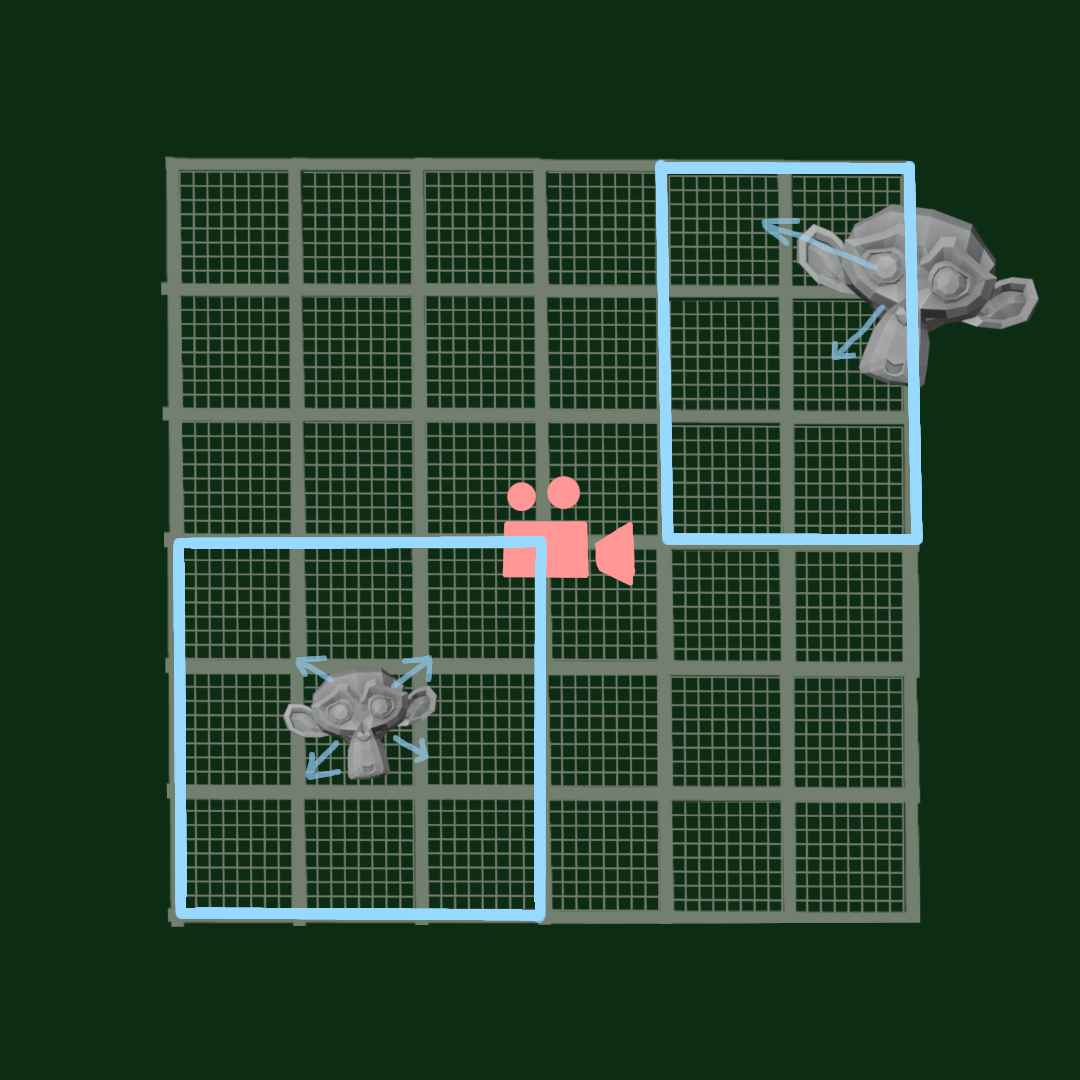
For this we run a group over each region so we can gather instances in group memory.
void
Composite
We now have mesh SDF instances culled to regions, so we can start generating the sdf of these regions.
We run over all regions and loop over the culled meshes, each thread handles 1 voxel and we go over meshes in batches to share them across the region/group.
For each mesh we sample their mesh SDF, for voxels outside the mesh bounds we add an analytical box distance, this way we can find the closest distance to the instances of the region.
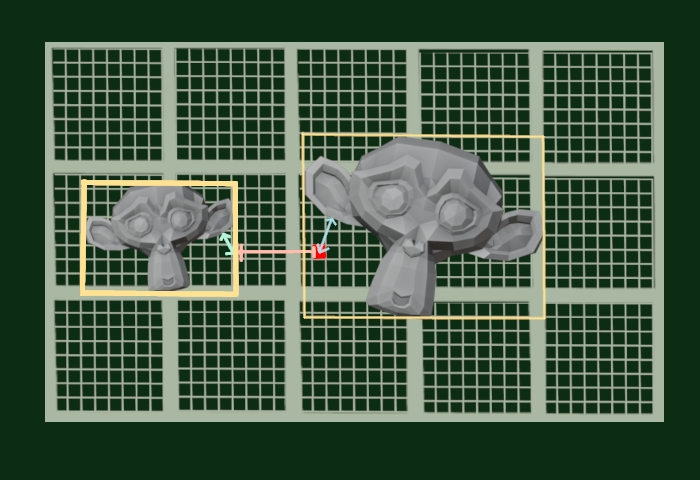
Since we sample from the center of the voxel it’s possible to get aliasing on low resolutions. To avoid this a conservative padding can be added, adding the full half diagonal of a voxel is fully conservative but often less is enough.
Clipmaps
To avoid huge resolutions for the global grid with increasing render distance, we use a clipmap, which has multiple textures with increasing extents but the same resolutions, this makes the sdf in the distance get a lower resolution.
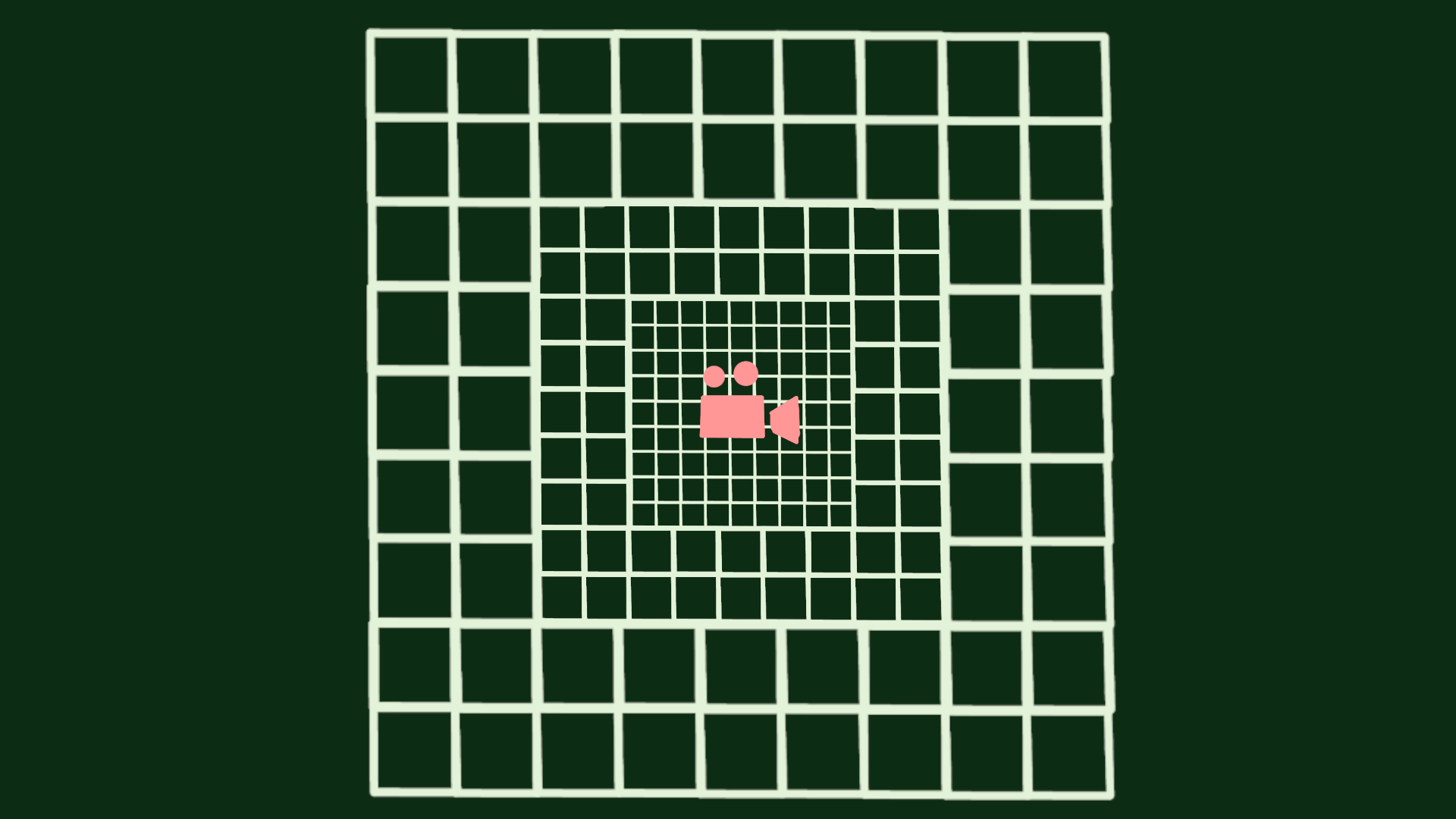
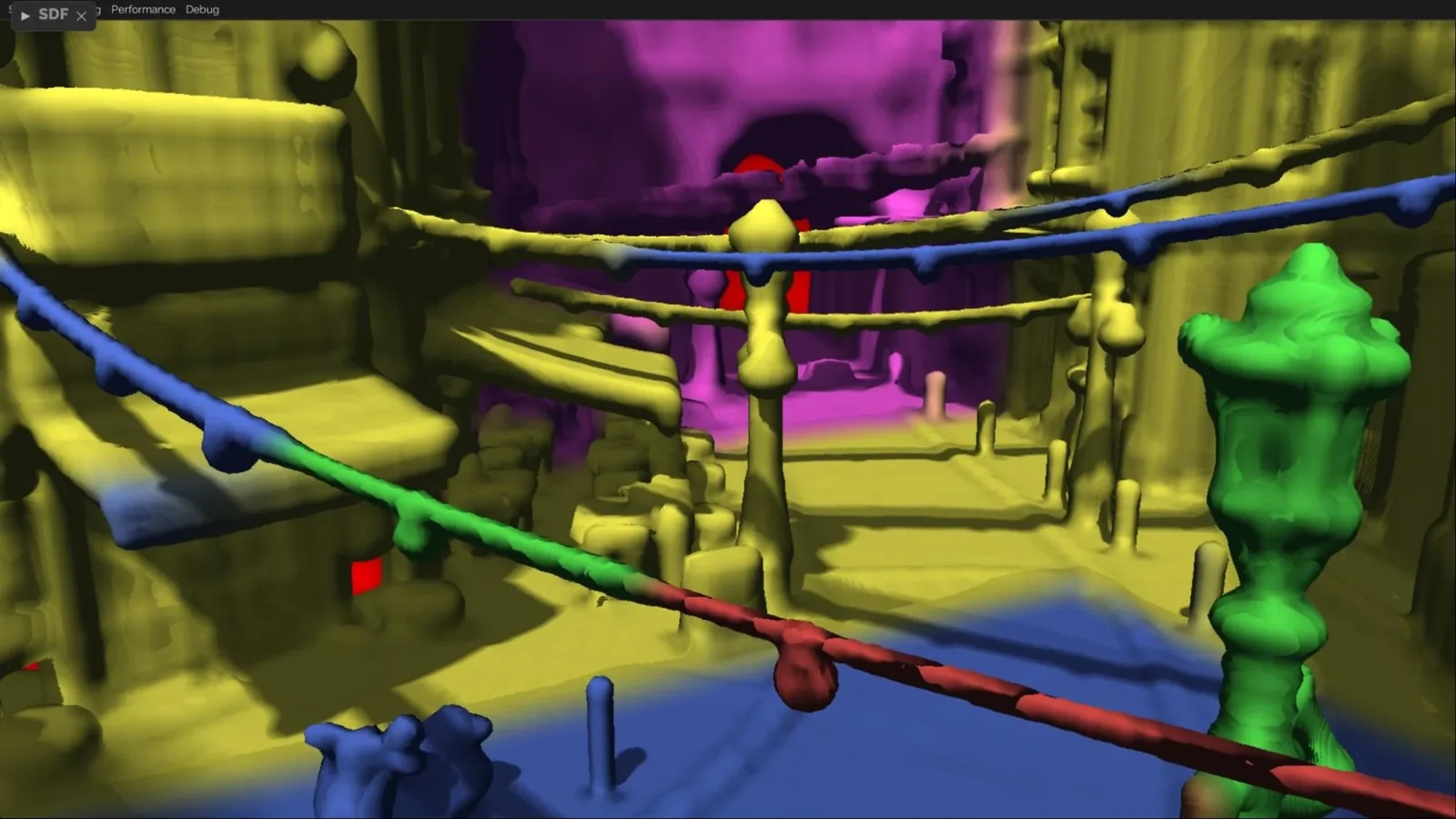
Increasing cascades in Bistro, note that small geometry can get overly padded like here when being fully conservative.
Scrolling
For static geometry, only newly scrolled edges need to be updated.
By using a wrapping texture and sampling at an offset into that, we are able to only update a slice of it at a time when the camera moves a region.
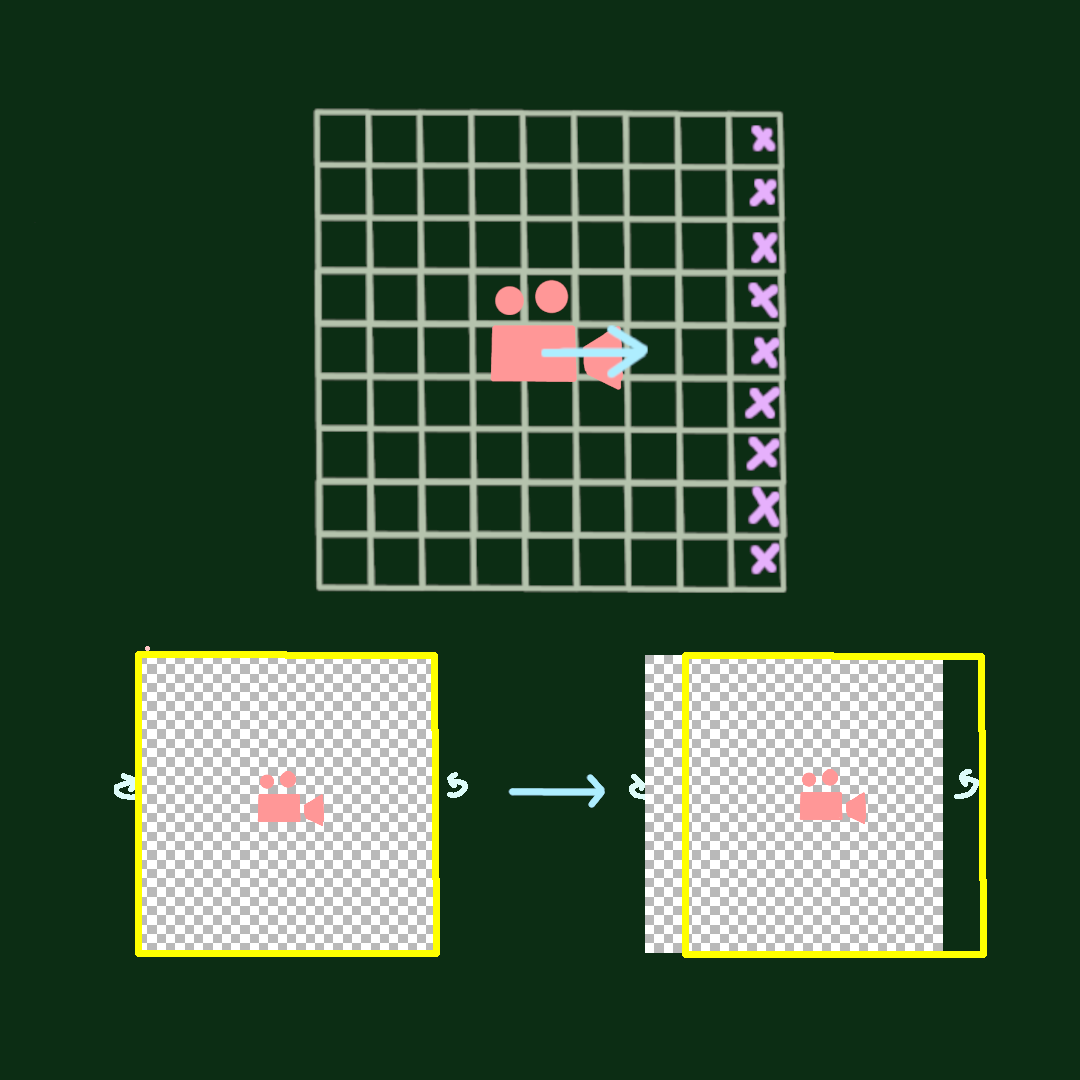
This can also be staggered so that only one cascade updates a frame, this avoids spikes from multiple cascades lining up their scroll with only a small delay in scrolling.
This can be expanded further by queuing voxel updates with a max budget, which will eliminate peaks altogether, but this comes at the cost of needing to have holes in not yet updated areas. Although in practice these holes are barely noticeable since they are only for a couple frames and mostly at further distances.
Dynamic geometry
For any dynamically moving geometry updating staggered at the cascade edges will not work.
Dynamic geometry needs to be recomposited every frame. We do this by going over all animated geometry and adding the regions they occupy to a dirty list. It’s important to do this for their current and previous position so that they do not trail geometry.
Layers
Having to go over and composite all instances for these dynamic regions every frame could become quite expensive.
To avoid this we separate dynamic geometry to an entirely different layer, which only has to deal with dynamic instances.
We combine these layers into a final one for sampling.
Usage
With this you now have a global clipmap which can be sphere traced for use in a variety of techniques, for anything that needs tracing or for some techniques that specifically need SDF data.
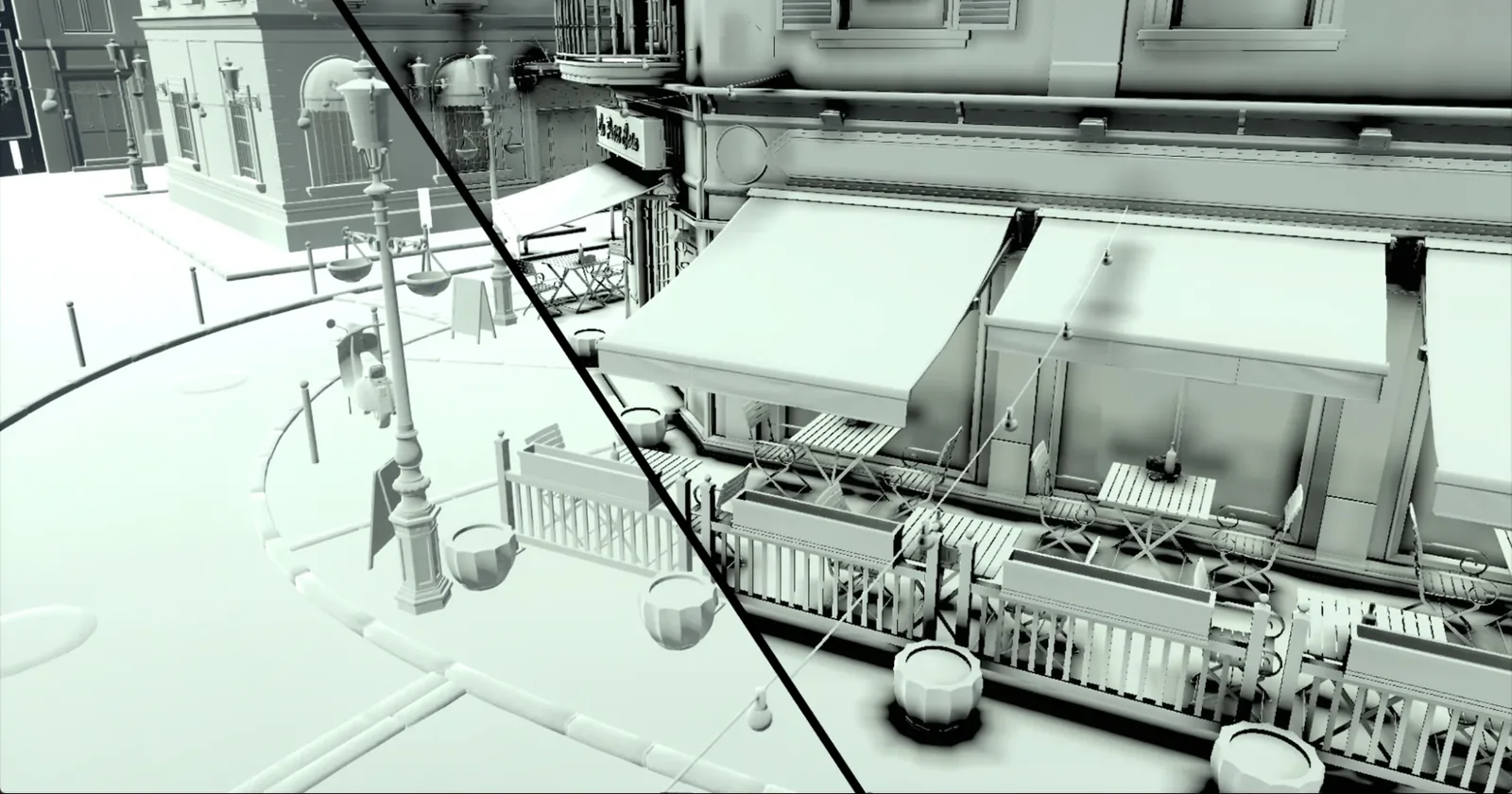
A simple one making use of the SDF data is AO, by taking a few steps at the world location of pixels on the screen you can accurately measure how close other geometry is and thus how occluded that pixel is.
Bistro with a dramatic amount of AO:
A big usage is GI, where the SDF can be sampled for bounce lighting. Since the SDF itself does not store material data this needs to be cached from the screen.
Conclusion
Creating an SDF representation is an interesting technique, it’s doing quite a bit of work but it pays off in tracing on weaker hardware.
Implementing this taught me a lot about optimizing gpu compute and structuring algorithms for it efficiently, there are a lot of ways to generate these SDFs without clear winners or trade offs which made for some difficult choices and research but I think I ended up with a solution that works.
Interning at Traverse was a really great experience with very helpful and smart people, which I learned a lot from. The Breda codebase was also great to work with and I learned a lot from working in such a big codebase.
If you want to read more about this I would highly recommend looking at AMD’s Brixelizer presentation and source code.
References
- Rasterization based SDF gen: https://github.com/carlos-lopez-garces/SDFGI and https://github.com/reduz/godot/tree/sdfgi
- AMD Brixelizer: https://gpuopen.com/fidelityfx-brixelizer/
- Unreal docs: https://dev.epicgames.com/documentation/unreal-engine/mesh-distance-fields-in-unreal-engine
- Paper: Signed distance computation using the angle weighted pseudonormal: https://backend.orbit.dtu.dk/ws/portalfiles/portal/3977815/B_rentzen.pdf
- Paper: The Antipodal Method: Fast, Accurate, and Robust 3D Generalized Winding Numbers: https://arxiv.org/pdf/2605.01536